Fire TV Stick 4K Plus vs Fire TV Cube vs Google TV Streamer: Which Should You Buy?
July 17, 2026
We've tracked the Fire TV Stick 4K Plus's Amazon price 5 times since June 22: $24.99 to $29.99. Here's how it compares to the pricier Fire TV Cube and Google TV Streamer 4K.
We've tracked this price 5 times: $24.99 to $29.99
Amazon's Fire TV Stick 4K Plus has moved once in the last three weeks on our tracking: $24.99 on June 22 and 23, then up to $29.99 from July 4 onward, where it has held steady for four straight checks. That $5 jump has held for four consecutive checks over three days. Against a $49.99 list price, the current $29.99 is still 40% off.
What we've tracked
Every price point we've logged for this exact listing, dated.
- Jun 22, 2026 — $24.99 (50% off $49.99 list)
- Jun 23, 2026 — $24.99 (50% off)
- Jul 4, 2026 — $29.99 (40% off)
- Jul 5, 2026 — $29.99 (40% off)
- Jul 7, 2026 — $29.99 (40% off)
- Lowest price we've tracked: $24.99
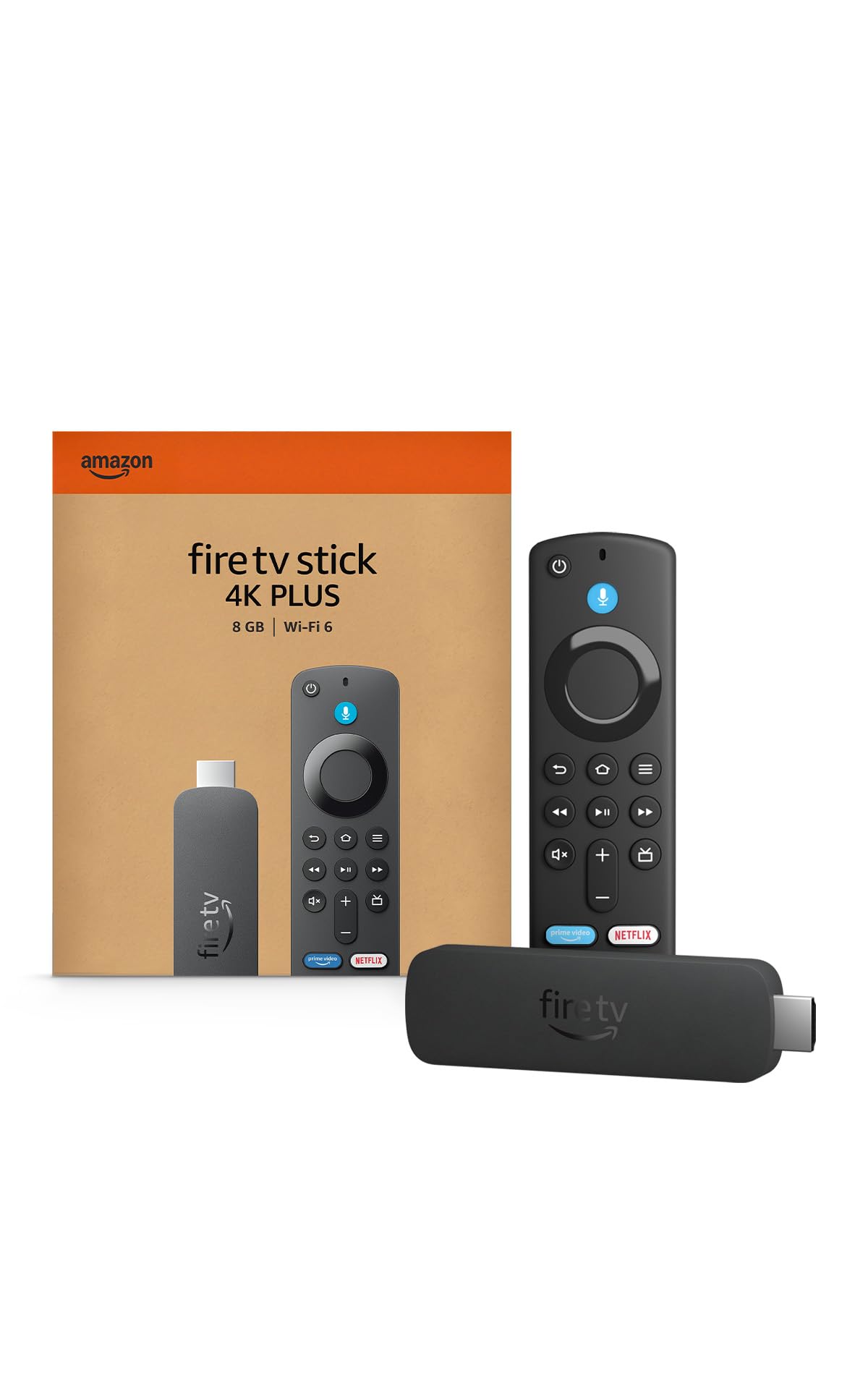
Amazon Fire TV Stick 4K Plus — $29.99
This is the cheapest way into the Fire TV ecosystem, and Amazon rolled out a full interface redesign to the whole Fire TV lineup in 2026, the first major overhaul since 2020: rounded app icons, new fonts, and dedicated Movies/TV Shows/Sports/News tabs across the top. Amazon claims "up to 20-30% gains in speed" from the new UI, but at least one reviewer who ran the old and new interface side by side on identical Fire TV Stick 4K Max hardware reported no noticeable performance difference, worth knowing before you credit the speed claim. The home screen ad carousel is still front and center in the redesign, and Amazon has also started pushing a full-screen ad that can take over the entire display right after boot. At $29.99, it's the right pick if your priority is price and you already tolerate Amazon's ad load; it is not the pick if ads on your home screen are a dealbreaker. Best for: budget buyers who want 4K streaming and don't mind Amazon's ad-heavy interface.
Sources: AFTVnews — 2026 Fire TV interface redesign overview · Pocket-lint — Amazon full-screen ad on Fire Stick
Amazon Fire TV Cube
The Cube runs the same ad-heavy Fire TV interface as the Stick above, so it doesn't fix that complaint, but it adds hands-free Alexa (no remote button needed to trigger voice commands), Wi-Fi 6E, and an included Ethernet adapter for a wired connection the Stick can't offer. Between HDMI-CEC, an IR blaster, and hands-free Alexa, reviewers note you can handle power, volume, and content switching without touching a remote at all, useful if you already run an Alexa-based smart home. It costs meaningfully more than the Stick for that hands-free layer and the same interface tradeoffs. Best for: Alexa smart-home households who want voice control over the TV itself, not just streaming apps.

Sources: Consumer Electronics Depot — Fire TV Cube review, worth it in 2026
Google TV Streamer 4K
This is the box that replaced Chromecast with Google TV, and the generational jump is measurable: one hands-on comparison clocked a 2.3-second average cold app launch against 3.6 seconds on the old Chromecast with Google TV, backed by 4GB of RAM versus 2GB on the previous model. It also adds Matter and Thread radios, useful if you're building out a smart home beyond just the TV, and ships with 32GB of storage for apps. It runs Google TV instead of Fire TV, which matters if your household is already on Android phones and Google Home rather than Alexa and Amazon devices; switching ecosystems has its own learning curve. Best for: Android and Google Home households who want the fastest app launches of the three and don't need Alexa integration.

Sources: TheTestedHub — Google TV Streamer 4K review, Chromecast comparison
Which one should you buy
If price is the deciding factor and you can live with Amazon's ad-heavy interface, the Fire TV Stick 4K Plus at $29.99 does everything the Cube does for streaming apps at a third of the cost, you just lose hands-free voice control and Ethernet. Buy the Fire TV Cube specifically if you're already Alexa-invested and want to control the TV without touching a remote; if you don't care about hands-free control, the Cube's extra cost doesn't buy you anything the Stick lacks for streaming itself. Buy the Google TV Streamer 4K if your household runs Android and Google Home rather than Alexa, or if the Chromecast-vs-Streamer speed gap (2.3s vs 3.6s cold launches) matters to how often you're waiting on an app to open. For most shoppers with no existing smart-home investment, the Fire TV Stick 4K Plus is the buy: it matches the other two on streaming quality and costs a third of what the Cube does, and the extra money the other two devices ask for only pays off if you're already locked into their specific voice assistant.
Related deal trackers
Frequently asked questions
Is the Fire TV Stick 4K Plus's new 2026 interface actually faster?
Amazon claims up to 20-30% speed gains from the redesigned interface, but at least one reviewer running old and new interfaces side by side on identical hardware reported no noticeable difference. Treat the speed claim as unverified marketing rather than a confirmed improvement.
Do I need the Fire TV Cube instead of the cheaper Stick?
Only if hands-free Alexa voice control and a wired Ethernet connection matter to you. The Cube runs the same Fire TV interface and app selection as the Stick; the price difference buys hands-free voice control, Wi-Fi 6E, and an included Ethernet adapter, not better streaming quality.
Is the Google TV Streamer 4K faster than a Fire TV Stick?
It's faster than the Chromecast with Google TV it replaced, 2.3-second average cold app launches versus 3.6 seconds, backed by double the RAM. That comparison is against Google's own older device, not a direct benchmark against the Fire TV Stick 4K Plus.
Does the Fire TV Stick 4K Plus show ads on the home screen?
Yes. The ad carousel remains prominent in the 2026 interface redesign, and Amazon has separately started pushing a full-screen ad that can appear right after the device boots up.
Get the best deals sent to your inbox — no spam, unsubscribe anytime.